Formula Fields
Drove content design for “formula fields”, allowing users to perform budgeting and tracking directly within Jira. This work achieved both feature parity with core competitors, and increased Jira’s overall product appeal to non-technical users.
Problem
Jira already has a healthy customer base amongst technical users (i.e. developers and engineers). To maintain customer growth, Jira is now targeting non-technical teams (i.e. those in human resources, legal, finance, etc) and is working on achieving feature parity with competitors like Microsoft 365, Asana, and Monday.
The ability to perform budgeting and tracking within Jira was a highly sought feature, requested by over 500 Jira users.
Approach
01. Analysing competitors
Using feedback from early customer interviews, my product manager had shortlisted a number of different functions for our first milestone. My role as a content designer was to provide consistent naming and descriptions for each function, as well as providing direction to our support documentation team.
Competitor analysis was a crucial step in determining the content direction for this project. One of the usability heuristics identified by the Nielsen Norman group is a “Match Between the System and the Real World”, and asserts that the terminology within an experience should be familiar to a user’s mental model. I was crafting content for an audience already using formulas on a daily basis. This meant I had to balance terminology that aligned to Jira’s content guidelines with terminology that reflected my target users’ expectations.
I conducted analysis of both Excel and SQL (Structured Query Language) to inform the direction of Jira’s formula terminology.
02. Naming functions
I identified a need for guidelines to determine how to name and describe each function, given our team was about to launch 35+ functions over various milestones. The first milestone was introducing number functions, for example, the ability to add two numerical values together. My guidelines documented core content decisions, such as when to abbreviate function names and which verbs to use for particular mathematical equations.

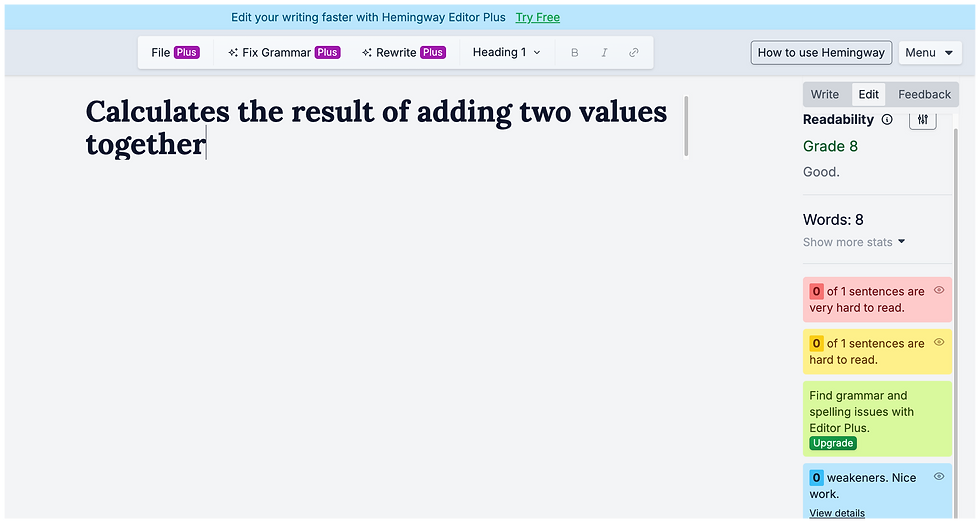
To ensure the readability of each function, I also tested the descriptions using the Hemingway Editor. I aimed for a maximum readability score of Grade 9 where possible - this was slightly higher than the recommended Grade 7-8, but necessary given the technical nature of the content.
Content guidelines for functions
I also worked closely with my product designer partner to finalise the complete in-product flow, including error messaging that distinguishes between a generic technical error and a user-generated error when creating a formula.
Testing readability with the Hemingway Editor
04. Testing the feature
Once the formula field was released as a beta feature, my product design partner and I conducted SEQ (single-ease question) usability testing. We asked a cohort of beta customers to complete core tasks like creating, editing, and deleting formula fields, and then asked participants to rate the ease of these tasks on a scale of 1-7. We surpassed the minimum usability score of 5.5 across all tasks, with "deleting a field" scoring highest with an average of 6.33.
At the same time as conducting this usability study, we were also upskilling our lead engineer in SEQ research. This was something that my product designer and I initiated, with the view that engineers could also facilitate SEQ testing routinely as part of a feature’s lifecycle. Our intention with this initiative was to bring our engineering teams closer to the voice of the customer, while simultaneously freeing up design time for more explorative and conceptual research.
03. Integrating AI
A key theme from customer interviews was users wanting the help of an AI assistant when creating a formula. Pairing with my product designer, we worked on embedding AI chat functionality into the sidebar to create and edit a formula field.
Users can prompt Atlassian’s AI assistant Rovo in natural language, and Rovo will generate a formula suggestion that a user can then create. This not only accelerates workflows for advanced users, but also flattens the learning curve for novice formula users.


Using Rovo to create a formula
Impact
887 formula fields created since feature launch in April
Consistent terminology across 35+ new functions
Introduced feature requested by 500+ Jira users